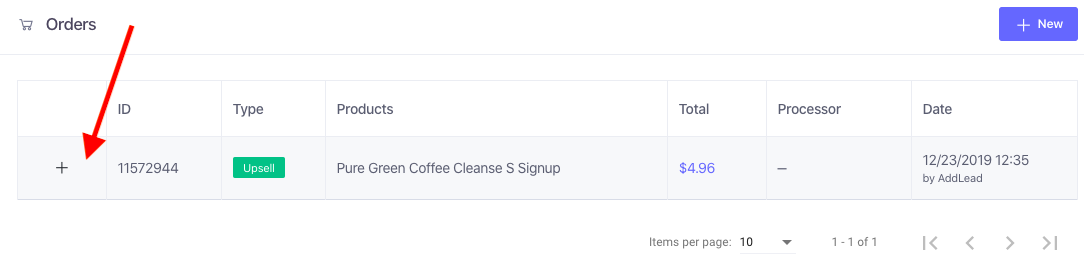
1. Under the Order history section within the customer’s profile, click on the + for the order that needs to be refunded.
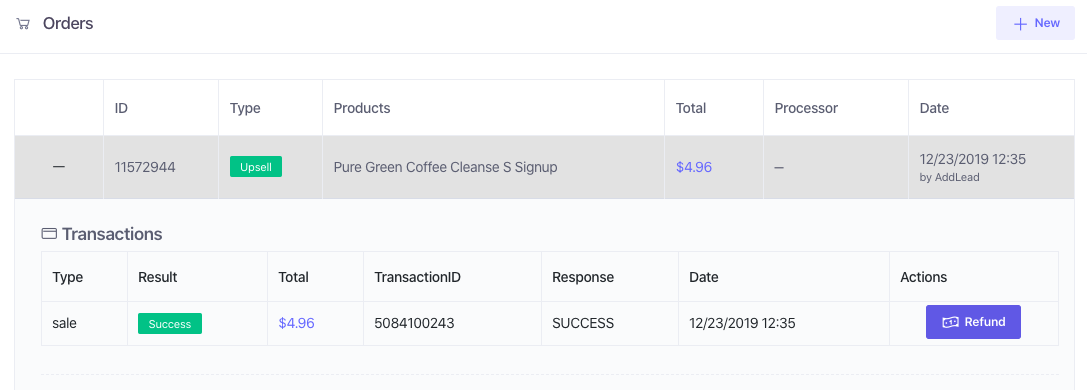
2. Click on “Refund” for the transaction that needs to be refunded.
Note: An order can have more than one transaction if your site is coded to pass more than one transaction id. In that case, you would need to refund the other transactions as well if the entire order needs to be refunded.
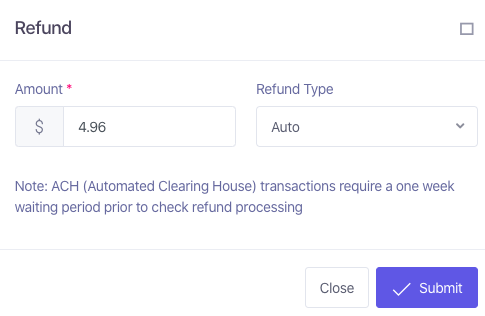
3. Once you click on Refund, you will see a pop up displaying the full amount of the transaction and the Refund Type option set to Auto. If you need to apply a partial refund, all you need to do is change the amount to the desired amount. Refund Type can be left on Auto.
Note: Refunds cannot be reversed.
Note: If a transaction has not settled yet, then it can be Voided by selecting the Void option under Refund Type.